
Logic Pro Tips and Tricks (2026)
Logic Pro is packed with professional tools, but many users only use a small part of what the software can do. Whether you’re recording vocals, producing beats, or mixing a complete song, learning a few smart tricks can save time and make your workflow much smoother.
The good news is that you don’t need years of experience to become faster in Logic Pro. A few simple habits and hidden features can make a big difference from your very first project.
In this guide, you’ll discover practical Logic Pro tips and tricks that every beginner and intermediate producer should know.
Learn Keyboard Shortcuts
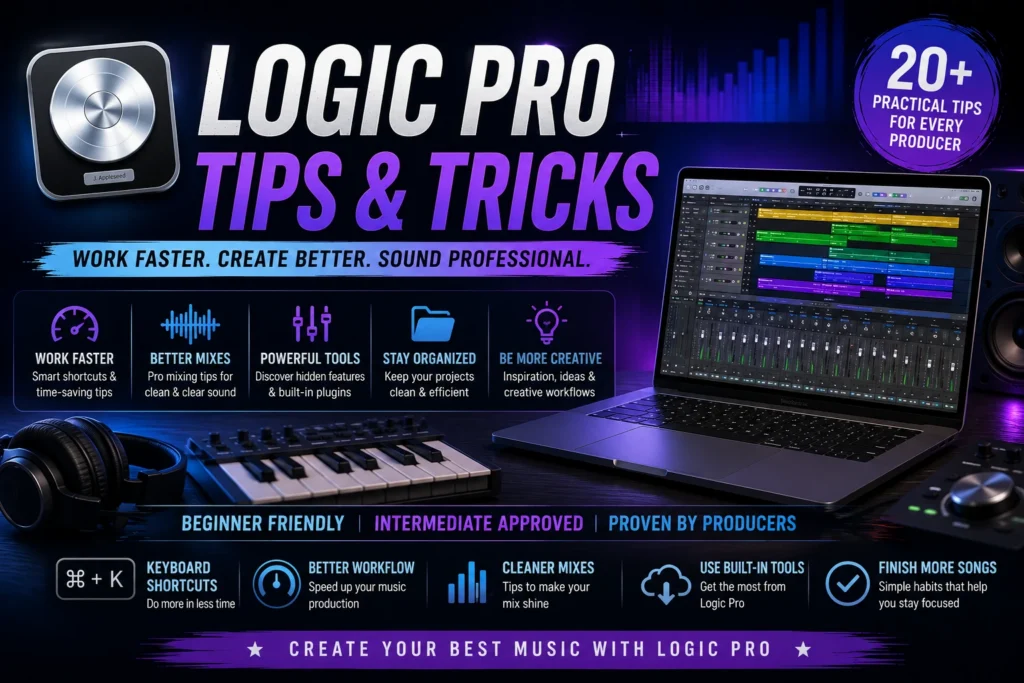
One of the fastest ways to improve your workflow is by using keyboard shortcuts.
Instead of clicking through menus, you can perform common tasks instantly.
Some useful shortcuts include:
- Spacebar – Play or Stop
- R – Start Recording
- Command + S – Save Project
- Command + Z – Undo
- X – Open Mixer
- E – Open Editor
- P – Open Piano Roll
Learning just a few shortcuts can save minutes on every project.
Save Your Own Project Template
If you always use the same instruments or recording setup, create a custom project template.
For example, your template could already include:
- Vocal Track
- Drum Track
- Piano
- Bass
- Guitar
- Master Bus Effects
Instead of building everything from scratch, you’ll be ready to record in seconds.
Name Every Track
Leaving tracks named Audio 1 or Track 12 quickly becomes confusing.
Rename tracks as soon as you create them.
Examples:
- Lead Vocal
- Harmony
- Piano
- Kick
- Snare
- Bass
- Guitar
Good organization makes mixing much easier later.
Color-Code Your Tracks
Logic Pro lets you assign different colors to tracks.
A simple color system makes large projects easier to navigate.
For example:
- Blue for vocals
- Green for guitars
- Yellow for drums
- Purple for keyboards
- Orange for bass
This small habit saves time when working with dozens of tracks.
Keep Your Projects Organized
Create a dedicated folder for every song.
Inside that folder, save:
- Logic Project
- Exported Audio
- Samples
- Reference Tracks
- Artwork
Keeping everything together prevents missing files and makes backups much easier.
Don’t Overuse Plugins
Many beginners believe adding more plugins automatically creates a better mix.
In reality, too many plugins can make a project sound messy and reduce your computer’s performance.
Start with Logic Pro’s built-in plugins before downloading additional ones.
They are already powerful enough for professional productions.
Use Apple Loops for Inspiration
If you’re struggling to start a song, browse the Apple Loops library.
You can quickly test:
- Drum grooves
- Bass lines
- Guitar riffs
- Piano melodies
- Percussion
- Vocal loops
Many producers use loops to build ideas before replacing them with their own recordings.
Record Multiple Takes
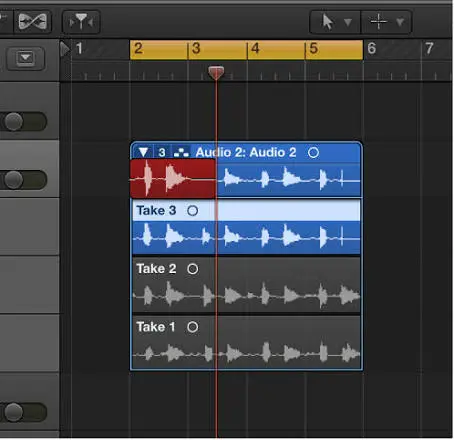
Don’t expect your first recording to be perfect.
Record several takes and choose the best performance later.
Professional singers and musicians often record multiple versions before selecting the final one.
More options usually lead to better results.
Watch Your Recording Levels
One of the most common beginner mistakes is recording with the input volume too high.
If the audio clips, the recording may become distorted.
Aim for healthy recording levels with enough headroom.
A clean recording is much easier to mix than a distorted one.
Save Your Work Frequently
Even though Logic Pro includes auto-save features, manually saving your project is still a good habit.
Press Command + S regularly while working.
You’ll appreciate this habit if your Mac unexpectedly restarts or loses power.
Explore the Built-in Instruments
Many new users immediately search for third-party plugins.
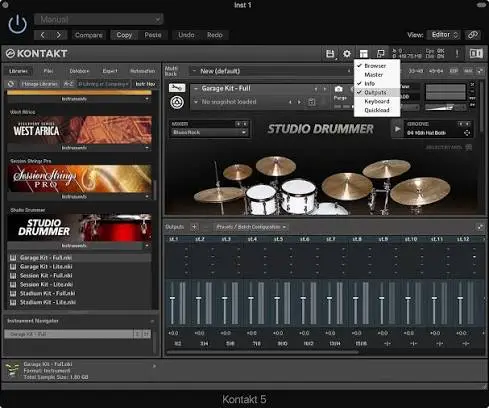
Before spending money, take time to explore Logic Pro’s built-in collection.
You’ll find:
- Professional pianos
- Vintage keyboards
- Drum kits
- Synthesizers
- Strings
- Brass
- Bass instruments
- Acoustic guitars
These instruments are capable of producing commercial-quality music.
Practice a Little Every Day
The fastest way to improve isn’t watching endless tutorials.
It’s opening Logic Pro and creating something.
Even spending 20–30 minutes each day experimenting with new tools will help you build confidence much faster than simply reading about music production.
Keep the Mixer Clean
As your project grows, the Mixer can quickly become crowded.
Take a few minutes to organize it by grouping similar tracks. Keep drums in one section, vocals in another, and instruments in their own area.
A clean Mixer makes it much easier to adjust levels and find the track you’re looking for.
Use EQ Before Adding More Effects
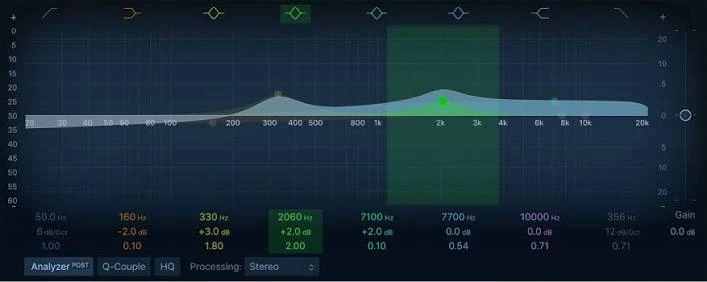
When a mix sounds muddy or unclear, many beginners add more plugins hoping to fix the problem.
A better approach is to use EQ first.
Small EQ adjustments can make vocals clearer, guitars brighter, and bass cleaner without adding unnecessary effects. In many cases, a simple EQ change is all you need.
Adjust Volume Before Mixing
Before reaching for compressors or reverbs, spend a few minutes balancing the volume of each track.
Ask yourself:
- Can you clearly hear the vocals?
- Are the drums overpowering the instruments?
- Is the bass sitting comfortably in the mix?
A balanced mix often sounds better than one loaded with effects.
Use Built-In Plugins First
Logic Pro includes a fantastic collection of professional plugins that many producers use every day.
These include:
- Channel EQ
- Compressor
- Limiter
- Reverb
- Delay
- Noise Gate
- Tape Delay
- Vintage EQ
Learning these tools will give you a strong foundation before exploring third-party plugins.
Zoom In for Better Editing
Small editing mistakes can affect the quality of your song.
When trimming audio, cutting clips, or editing vocals, zoom in on the waveform for greater accuracy.
This helps create cleaner edits and smoother transitions between recordings.
Keep Your Mac Optimized
Logic Pro performs best when your Mac has enough free resources.
To keep everything running smoothly:
- Close apps you aren’t using.
- Keep enough free storage available.
- Update macOS when appropriate.
- Restart your Mac occasionally after long sessions.
A well-maintained system helps prevent slow performance and unexpected crashes. Finish More Projects
Many beginners start dozens of songs but rarely complete them.
Instead of always chasing new ideas, please focus on finishing what you’ve already started.
Completing projects teaches valuable skills like arranging, mixing, and exporting—skills that you won’t fully develop by creating unfinished loops.
Every finished song builds experience and confidence.
Keep Learning New Features
Logic Pro is updated regularly with new tools and improvements.
As you become more comfortable with the basics, explore features such as:
- Automation
- Live Loops
- Flex Time
- Flex Pitch
- Smart Controls
- Sampler
- Drummer
- Track Stacks
Learning one new feature each week is a simple way to improve without feeling overwhelmed.
Common Mistakes to Avoid
Almost every new Logic Pro user makes a few common mistakes. Avoiding them early can save you a lot of time and frustration.
Here are some of the biggest ones:
- Using too many plugins on every track.
- Forgetting to save your project regularly.
- Recording audio with levels that are too high.
- Ignoring project organization.
- Downloading unnecessary plugins before learning the built-in tools.
- Trying to master a song before creating a good mix.
- Giving up after a few practice sessions.
Remember, every experienced producer started as a beginner.
FAQS
How can I get faster in Logic Pro?
Practice regularly, learn keyboard shortcuts, organize your projects, and create templates for the types of music you produce most often.
Should beginners use third-party plugins?
Not immediately. Logic Pro already includes high-quality instruments and effects that are more than enough for learning music production.
How often should I save my project?
It’s a good habit to save every few minutes, especially before making major changes. Using Command + S regularly can help prevent losing your work.
What’s the easiest way to improve my mixes?
Start with the basics. Balance the volume of your tracks, use EQ to remove unwanted frequencies, and apply effects carefully instead of adding them to every channel.
Is Logic Pro suitable for professional music production?
Yes. Logic Pro is used worldwide by musicians, producers, composers, and audio engineers to create commercial albums, podcasts, film scores, and other professional projects.
Final Thoughts
Learning Logic Pro is a journey, and the best way to improve is through consistent practice. Every project you complete helps you understand the software a little better and builds the confidence to try new techniques.
The tips in this guide aren’t complicated, but they can make a noticeable difference in the way you work. Simple habits like organizing your sessions, learning shortcuts, saving templates, and using the built-in tools effectively will save time and help you focus on what really matters—making great music.
Don’t feel like you need to master every feature right away. Start with the essentials, keep experimenting, and enjoy the creative process. As your skills grow, you’ll naturally discover new ways to speed up your workflow and improve your productions.
Whether you’re recording your first vocal, producing beats, or mixing a full song, Logic Pro has everything you need to turn your ideas into finished music. Keep practicing, stay curious, and most importantly, keep creating.
 Reliable Knowledge, Fresh Perspectives