Logic Pro for iPad Review 2026: Features, Price & Limits
When Apple introduced Logic for iPad, it brought one of the world’s most popular digital audio workstations (DAWs) to a touch-first device. Since then, the app has evolved into a capable music production platform with professional instruments, AI-powered tools, and a workflow designed specifically for iPad users.
But can it replace Logic Pro for Mac? Is it worth paying for? And who is it really designed for?
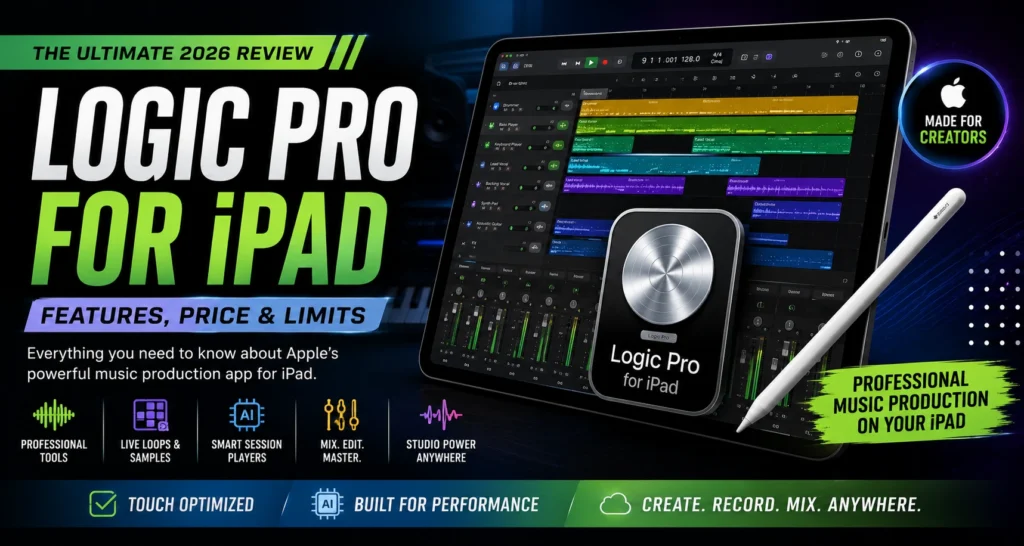
In this review, we’ll look at the latest features, pricing, strengths, weaknesses, and whether Pro logic for iPad is the right choice for your music production workflow.
What Is Logic Pro iPad?
Logic Pro for iPad is Apple’s professional music production app built specifically for iPadOS. It allows users to record vocals, create beats, edit MIDI, mix songs, and produce complete music projects using a touch-optimized interface. Apple has also added AI-assisted Session Players, Live Loops, Stem Splitter, and a large sound library, making it one of the most advanced DAWs available on a tablet.
Whether you’re producing hip-hop beats, recording podcasts, composing film music, or writing songs on the go, Logic Pro for iPad offers many of the tools found in the Mac version.
Key Features
Touch-Optimized Interface
Unlike the desktop version, Logic Pro for iPad is designed for touch controls. Multi-Touch gestures, Apple Pencil support, and drag-and-drop editing make it easy to build projects without a keyboard or mouse.
Live Loops
Live Loops lets you trigger loops, samples, and recordings in real time. It’s especially useful for electronic music producers, DJs, and beat makers.
Professional Instruments
The app includes:
- Alchemy Synth
- Drum Machine Designer
- Sampler
- Quick Sampler
- Vintage keyboards
- Bass and guitar amp simulators
These built-in instruments provide plenty of creative options without requiring additional purchases.
AI Session Players
Recent updates introduced AI-powered Session Players, including Synth Player, Keyboard Player, Bass Player, and enhanced Drummer tracks. These tools can automatically generate realistic performances that adapt to your project.
Stem Splitter
Stem Splitter separates a mixed song into individual parts such as vocals, drums, bass, guitar, piano, and other instruments. This is useful for remixing, practice, or creating new arrangements.
Performance
Pro Logic for iPad performs surprisingly well on supported iPads. Projects load quickly, touch controls feel responsive, and even larger sessions remain smooth on modern hardware.
If you own an iPad with an M-series chip, you’ll experience faster rendering, smoother playback, and better multitasking compared to older models.
For most songwriters, producers, and content creators, performance is more than enough for everyday music production.

Pricing
Logic for iPad is available through Apple’s subscription model. Apple also offers access through the Apple Creator Studio bundle, which includes additional creative applications. Existing subscribers to the original standalone plan may be able to keep that pricing, while new users are primarily directed toward the Creator Studio subscription.
If you only produce music on a Mac, the one-time purchase of Logic Pro for macOS may provide better long-term value.
What We Like
Excellent Touch Experience
The interface feels natural on iPad and makes editing surprisingly intuitive.
Powerful Built-In Sounds
Thousands of loops, instruments, and effects are included without requiring additional downloads beyond optional sound packs.
Great for Mobile Production
Whether you’re traveling or working away from your studio, you can create professional-quality music almost anywhere.
Regular Updates
Apple continues to add new features, improve performance, and expand creative tools through ongoing updates.
Limitations
Although Logic Pro iPad is impressive, it still isn’t a complete replacement for the Mac version.
Some limitations include:
- Fewer advanced desktop workflow options
- More limited hardware routing
- Not all desktop features are available
- Some professional studio workflows remain better suited to macOS
- Certain Mac Audio Unit workflows and desktop-specific capabilities are unavailable on iPad
For many users, the iPad version works best as a companion to Logic Pro for Mac rather than a complete replacement.
Who Should Buy Logic Pro for iPad?
Logic Pro iPad is a great choice if you are:
- A songwriter creating music on the go
- A beat maker using touch controls
- A content creator recording podcasts
- A student learning music production
- A producer who already owns an iPad
If you work on large commercial recording sessions or require every advanced desktop feature, the Mac version remains the better option.
Pros
- Modern touch interface
- Excellent built-in instruments
- AI-powered creative tools
- Live Loops workflow
- Apple Pencil support
- High-quality sound library
- Fast performance on supported iPads
Cons
- Subscription required for iPad access
- Some desktop features are missing
- Better suited as a companion than a full Mac replacement for many professionals
Final Verdict
Logic Pro for iPad has become one of the best professional music production apps available for tablets. It combines a polished touch interface with powerful instruments, creative AI features, and a workflow that feels fast and intuitive.
While it doesn’t completely replace Logic Pro for Mac for every professional workflow, it’s an excellent choice for songwriting, beat production, mobile recording, and music creation on the move.
If you already own a compatible iPad and want a serious DAW designed specifically for touch, Pro Logic for iPad is well worth considering.